


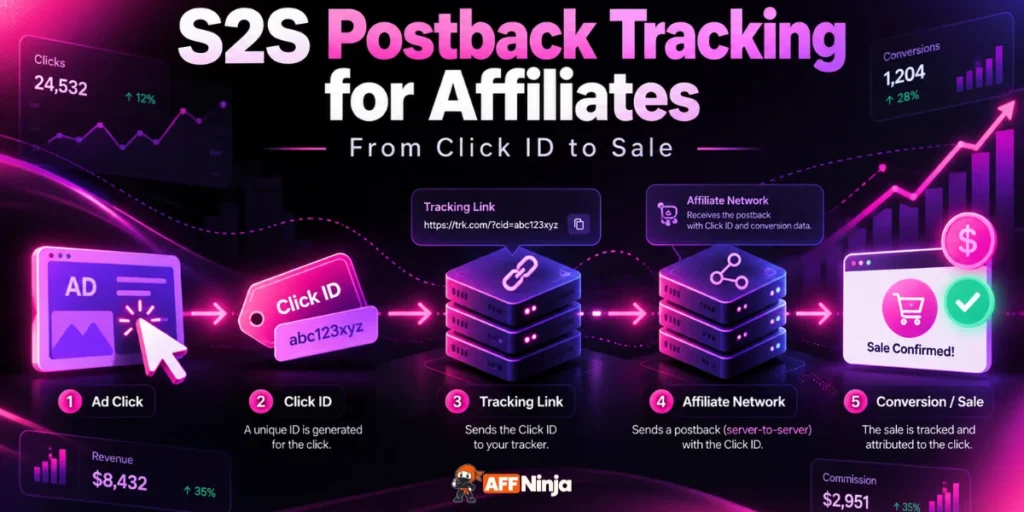
S2S postback tracking connects an affiliate conversion to its original click through a server request. A tracker creates a click ID, which travels into your affiliate network.
After a qualifying action, a callback returns that identifier with conversion details. Your tracker can then credit the correct campaign, placement and creative.
Sounds tidy. Missing identifiers, duplicate callbacks and inflated payouts can still wreck your buying decisions.
Our priority is accurate affiliate conversion tracking, not a dashboard full of flattering numbers.
Across this guide, you’ll connect click IDs to sales, configure RedTrack, Voluum or Binom, test callbacks and separate approved commission from provisional revenue.
AFFNinja Quick Verdict
Build your setup around one traceable click ID and clearly defined conversion events. Keep order identifiers separate, verify revenue, then test repeat delivery before increasing spend.
Our recommended launch order is simple.
A successful request alone does not prove correct attribution. Your acceptance test should also confirm the intended campaign, event and revenue inside reporting.
Follow One Click Through the Affiliate Tracking Chain
Server to server tracking describes conversion delivery. Visitors still reach your landing page or offer through a browser.
Your chosen click collection method must capture an identifier before any later callback can match it. Direct tracking and redirect tracking handle that first stage differently.
Here is an illustrative journey. Every identifier and amount below is invented solely to explain the flow.
| Stage | Value or action | Evidence to check |
|---|---|---|
| Ad click | Source assigns src_84 | Source ID reaches tracker |
| Tracker visit | Tracker creates trk_7F9 | Campaign record contains both IDs |
| Network visit | sub1=trk_7F9 reaches network | Sub ID survives offer handoff |
| Qualifying sale | Commission becomes USD 32 | Network records eligible conversion |
| Return callback | Tracker receives trk_7F9 and 32 | Correct campaign gains commission |
A network may assign another identifier to its own click. Keep those identifiers linked, not interchangeable.
For example, a merchant can return a network click ID to its network. Separately, the network returns your tracker click ID through a partner postback.
A callback cannot recreate a missing identifier simply because a sale happened. Likewise, S2S alone does not provide cross-device identity matching.
Our AFFNinja rule is to trace an actual click before trusting totals. A clean campaign name proves little when its underlying identifier never reached checkout.
Map Click IDs, Sub IDs and Transaction IDs Correctly
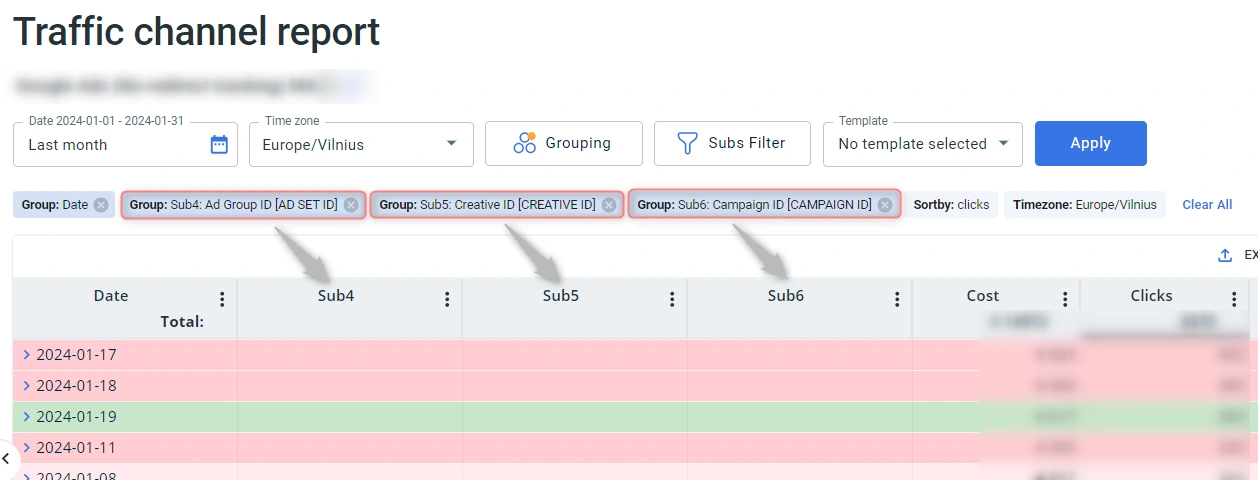
Click ID parameter mapping is where a working integration earns its keep.
The receiving system chooses a parameter name. The sending system supplies a macro, which becomes a real value when a request leaves.
In cid={sub1}, cid belongs to your tracker’s incoming format. {sub1} tells a compatible network which stored value to return.
| Data item | Main job | Do not confuse with |
|---|---|---|
| Traffic source click ID | Connect conversion feedback to an ad click | Tracker’s internal click ID |
| Tracker click ID | Match a callback to a recorded visit | Campaign name or UTM label |
| Network sub ID | Carry your chosen value through a network | An automatically unique identifier |
| Network transaction ID | Meaning depends on network | Always being an order number |
| Order or conversion ID | Identify a distinct commercial action | Every visit from one customer |
| Event type | Distinguish lead, purchase or another action | Approval status |
| Payout and currency | Describe affiliate commission | Merchant’s entire basket value |
Names can mislead. Everflow’s advertiser postback uses transaction_id as a click identifier, while Voluum’s txid identifies a conversion transaction.
Confirm meaning before matching fields. Similar labels across platforms do not guarantee equivalent data.
Keep campaign labels useful, too. Capture creative and placement identifiers where your source supports them, rather than forcing everything into a single sub ID.
Build a Postback URL Your Network Can Fill
Below is an illustrative offer URL using {clickid}, supported by RedTrack, Voluum and Binom. Your actual network supplies its own destination and accepted parameter.
https://network.example/click?offer=27&sub1={clickid}Once your tracker resolves the macro, sub1 contains a real click ID. On an Everflow network, a basic Voluum partner callback can return it like this.
https://tracker.example/postback?cid={sub1}&payout={payout_amount}Here, {payout_amount} represents partner payout. Merchant revenue belongs to a different field. Both domains are illustrative, not working endpoints.
Use your generated tracker URL and your network’s exact macro picker. Do not paste braces, capitalisation or token names from an unrelated integration.
Preserve literal plus signs and other reserved characters with correct URL encoding. Encode parameter values once per encoding layer, not repeatedly until a URL looks different.
A value containing + can otherwise arrive with a space. Never lowercase or shorten click IDs to tidy a report.
Match HTTP Delivery to Your Receiver
S2S does not mean every callback uses HTTP POST. Voluum’s standard callback uses HTTP GET, while other integrations can require a different request format.
A JSON webhook cannot simply replace a query-string callback. Match the receiver’s method, parameter names and authentication requirements.
Also keep browser pixels separate from server callbacks. Calling a postback URL through browser JavaScript still depends on browser execution.[SR14]
When testing an endpoint, inspect its response without following unrelated redirects. A login page or browser challenge is not a usable conversion receiver.
Confirm certificate validity and network reachability before editing macro mappings. Transport failures and missing identifiers need different repairs.
Configure S2S Postback Tracking in Six Steps
Keep affiliate postback URL setup focused. Finish one offer and one conversion event before adding extra funnel stages.
Step 1 Choose Your Payable Conversion
Confirm which action earns commission. A form submission, qualified lead and completed payment are separate milestones.
Agree on event names, payout fields and approval timing with your network. Also confirm support for repeat purchases, reversals and delayed conversions.
Choose a narrow initial scope. One offer-specific callback is easier to verify than a global callback covering offers with different event rules.
Step 2 Capture Your Traffic Source Identifiers
Add the correct traffic source template inside your tracker. Map available source click, campaign, placement and creative identifiers.
Then choose a supported click collection method. Redirect tracking uses a tracking URL; direct tracking needs its prescribed page implementation.
Step 3 Pass Your Tracker Click ID Into the Offer
Attach the tracker macro to a supported network parameter, such as sub1. Keep existing offer and affiliate identifiers intact.
Check every landing-page CTA. A raw affiliate URL can skip the configured handoff and lose attribution.
Where you control a lead form, preserve the captured identifier in its backend record. Later CRM updates need a stored value, not a remembered browser session.
Step 4 Install Your Network Callback
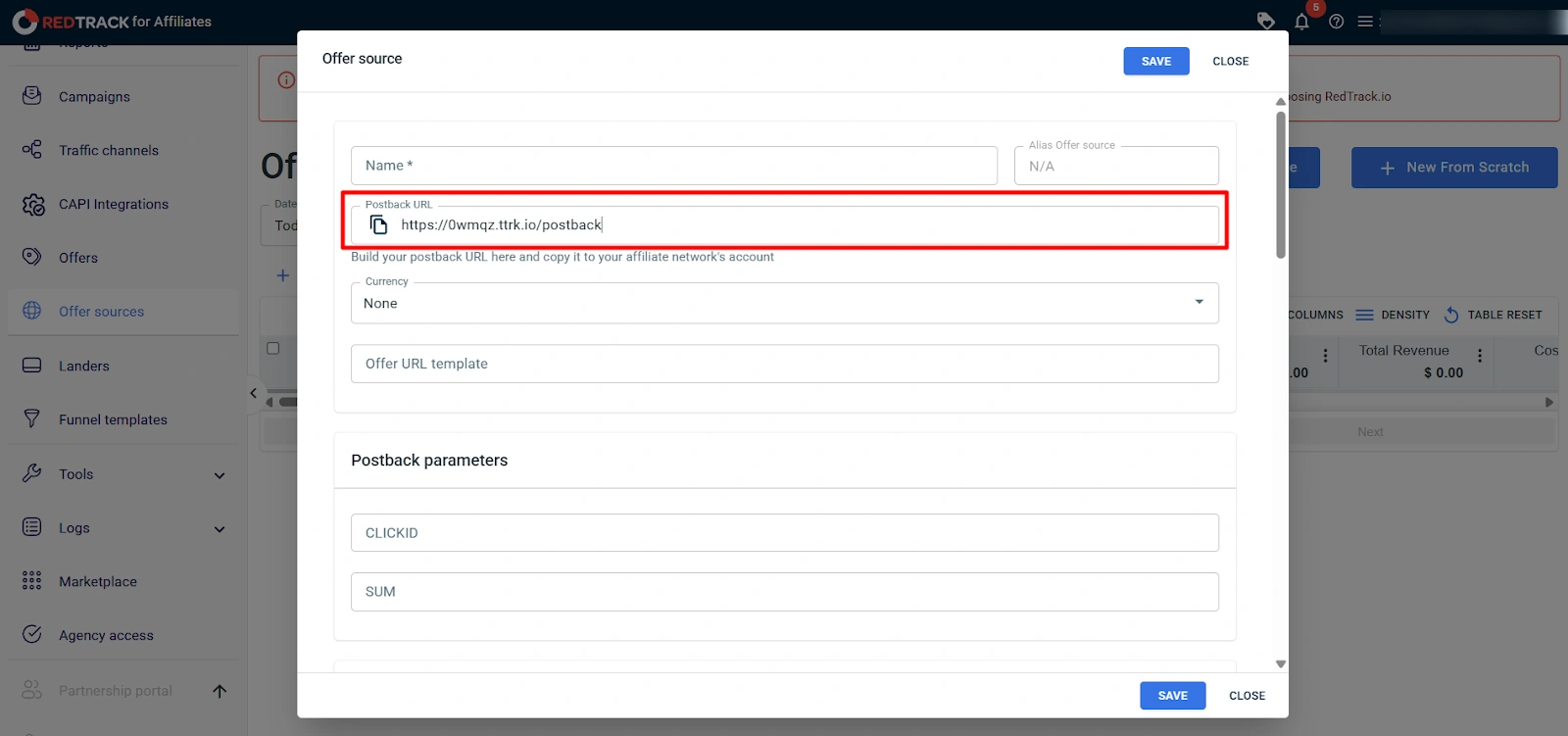
Copy the receiving postback URL from your tracker. Paste it into your network’s partner callback settings.
Replace placeholders with supported network macros. Match the returned sub ID to the field used during your offer handoff.
Check global and offer-specific settings together. Duplicate active callbacks can deliver the same conversion twice. Confirm which conversion events actually trigger delivery.
Step 5 Set Revenue and Evet Rules
Choose automatic payout capture when commission varies. Use a fixed amount only when the commercial arrangement genuinely pays that amount.
Set currency handling deliberately. A numeric payout without its correct currency can produce believable but wrong totals.
Next, configure event names and repeat-delivery behaviour. Keep provisional milestones separate from approved revenue rather than letting every callback increase your sale count.[SR20]
Step 6 Verify a Complete Test Conversion
Start with a fresh test click through your real campaign path. Use the network’s approved test process or a non-billable test arrangement.
Inspect the stored sub ID, callback payload and tracker conversion together. Confirm attribution and commission, not just request delivery.
Exclude test activity from financial reporting and live bidding signals. Only then expand coverage to additional offers and event types.
Save a small configuration record after validation. Include your network, offer, receiving URL, macro mapping and expected event behaviour.
Give each material change a version. If a later edit breaks tracking, you can compare configurations instead of guessing which field changed.
Retest after a tracking-domain change, network migration or replacement landing page. Previous success does not validate a new route.
RedTrack, Voluum and Binom Postback Settings
These platforms share a basic click-return model. Parameter names and update behaviour still differ.
Use the comparison below as a mapping reference, not a universal copy-and-paste template.
| Tracker | Incoming click ID | Commission field | Additional controls |
|---|---|---|---|
| RedTrack | clickid | sum | type, configured duplicate modes |
| Voluum | cid | payout | txid, et, currency |
| Binom v2 | cnv_id | payout | cnv_status, cnv_currency |
RedTrack Postbacks With Explicit Event Controls
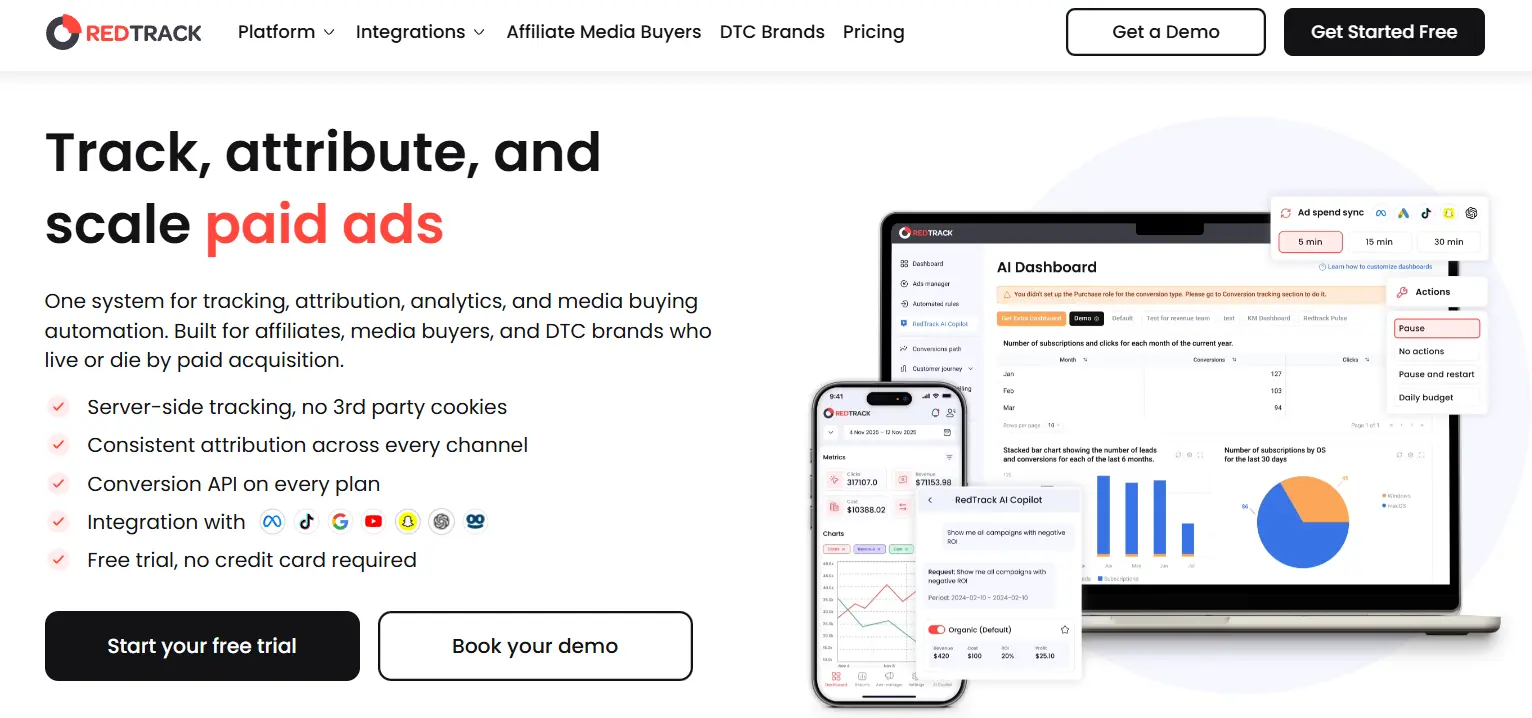
RedTrack places affiliate network configuration under Offer sources. Start with a matching template, or create a custom source using your partner’s supported macros.
A basic incoming callback uses clickid and sum. Add a configured conversion type through type when separate funnel events matter.
Its duplicate modes deserve particular attention. You can ignore duplicates, create additional conversions, edit an existing conversion’s payout, or increment revenue.
Those choices are not equivalent. Incrementing payout suits an intentional additional commission, but an accidental retry could inflate revenue under inappropriate settings.
For event-based duplicate rejection, supply a stable rdtk_event_id and select the corresponding duplicate mode. Adding the parameter alone is not sufficient.
At AFFNinja, we would start with a narrowly defined sale event. Then add lead or upsell events only after testing their financial treatment.
Before purchase, check connector availability against your required ad platforms and account tier. Our RedTrack review covers the wider buying decision.
Exclusive

RedTrack Discount Code: Get 20% OFF Today
Use RedTrack AFFNINJAMAX to claim 20% OFF for 3 Months while optimizing affiliate tracking, conversion events, and payouts.
Voluum Postbacks With Transaction-Level Detail
Voluum requires its click ID through cid. The optional payout field carries conversion revenue, while currency can override an offer’s currency setting.
Add unique transaction ID tracking through txid when separate purchases can follow one recorded visit.
A new purchase needs its own transaction value. A retry of an existing purchase should retain the original value rather than invent another identifier.
Use [SP30] et to distinguish configured custom conversions. Event names must match your custom conversion setup.
For example, a lead and purchase can become separate reporting columns. Decide which events belong in main conversion and revenue totals before judging campaign profitability.
Our AFFNinja recommendation is to test one sale, its replay and a second genuine transaction together. That sequence exposes attribution and repeat-purchase gaps early.
Exclusive

Voluum Coupon Code: Unlock 37% Off Tracking Tools
Save 37% on Voluum with code BLOGGINGECLIPSE and improve conversion tracking, postback attribution, campaign analytics, and affiliate marketing ROI.
Binom Postbacks With Payout and Status Rules
Binom v2 uses /click as its standard callback path. Older v1 examples use /click.php, so copy the URL generated by your installed version.
Return the tracker click ID through cnv_id. Use payout for commission, cnv_currency for currency and supported status parameters for conversion state.
Binom’s status schemes can adjust events, payout and conversion status. Rules are evaluated in order, making overlapping conditions worth checking carefully.
Also review disable_upsell=1. Its purpose is to stop an incoming payout being added to an accumulated payout. Do not mistake that switch for universal per-order duplicate protection.
Test your exact sale and retry sequence with the active status scheme. Check the resulting total rather than assuming another tracker’s duplicate rules apply.
Our Binom review adds product context. Choose a setup whose callback behaviour you can explain clearly before committing paid traffic.
Exclusive

Binom Coupon Code AFFMAVEN: Get 40% OFF Today
Unlock 40% OFF Binom with code AFFMAVEN and improve conversion tracking, affiliate postbacks, payout attribution, and campaign performance today.
Keep Pending Leads, Approved Sales and Refunds Separate
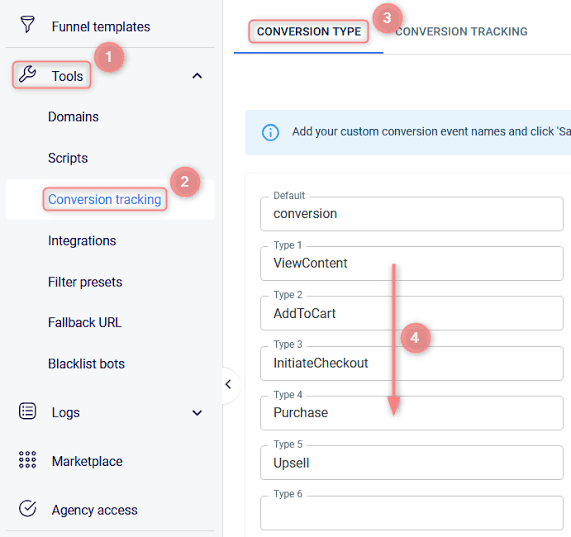
Affiliate conversion status tracking protects your budget from premature revenue claims.
Agree on both event identity and financial state. A purchase event describes an action; approval describes how that action should count commercially.
Use the following as a reporting policy to adapt with your network. These are suggested treatments, not universal tracker defaults.
| Incoming event | Suggested revenue treatment | Bidding consideration |
|---|---|---|
| Lead received | Zero until qualified or payable | Use only under a lead objective |
| Pending sale | Keep provisional commission separate | Avoid presenting as final revenue |
| Approved sale | Record payable commission | Eligible primary success event |
| Genuine upsell | Add distinct earned commission | Separate identity from first sale |
| Rejected conversion | Remove associated provisional value | Do not label as approved purchase |
| Refund or chargeback | Apply supported reversal or correction | Check platform adjustment support |
Ask which updates the network actually sends. Some setups only forward approved conversions, so a missing pending callback may be expected rather than broken.
A refund label alone does not guarantee automatic subtraction. Your tracker must support an appropriate update, reversal or separately reconciled correction.
Google Ads supports conversion adjustments, including restatements and retractions. Correcting a tracker report does not automatically correct every downstream advertising record.
For cash-on-delivery offers, agree on the payable milestone before buying traffic. A submitted order and an accepted, commissionable outcome should not silently share one revenue definition.
Keep Payout Units Consistent
Define the amount format before accepting live callbacks. A commission of USD 32 is not interchangeable with an integer representing 3,200 cents.
Check the receiving field’s expected unit and precision. Do not attach a currency symbol to a field expecting a plain decimal amount.
Keep missing payout distinct from zero payout. Missing data needs investigation; zero may correctly describe a non-payable funnel event.
Also document currency conversion ownership. Converting an amount upstream and converting it again inside a tracker can distort your comparison with network statements.
Stop Duplicate Postbacks Without Losing Repeat Purchases
Postback deduplication and retries solve different problems. Retries recover failed delivery; deduplication prevents repeated delivery from creating extra financial effects.
Your receiving logic should be idempotent. In plain English, receiving the same event again should not book another sale.
Use an event identifier with known uniqueness. Depending on your network, a conversion record ID may be safer than a customer ID or click ID.
Preserve a distinction between these cases.
Never generate a fresh random event ID on every retry. Conversely, do not reuse one customer identifier across every future purchase.
With a custom receiver, record accepted event identities in durable storage. A temporary memory cache alone can forget previous deliveries after a restart.
Also record delivery state. An event accepted locally but not yet forwarded needs a controlled retry, not another local conversion.
Delayed events can arrive out of sequence. Use authoritative conversion state and valid transition rules before allowing an old pending event to overwrite an approved sale.
Some webhook senders do not guarantee event order. Treat delivery order as something to verify, not a dependable business rule.
Send Conversion Data Back to Your Traffic Source
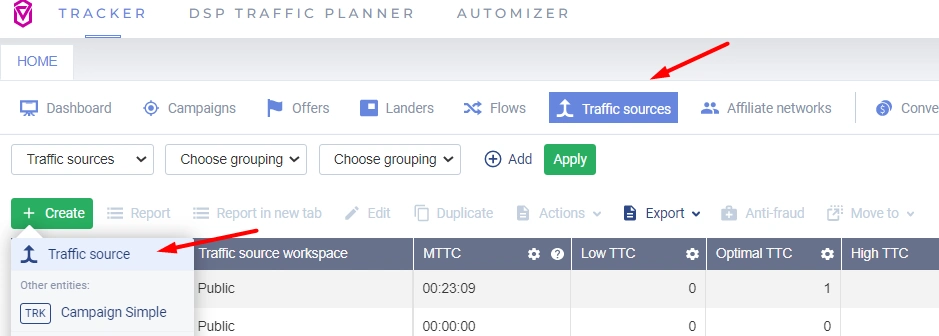
A network-to-tracker callback completes only one connection. Traffic source conversion feedback is a separate integration.
For a traditional source postback, return its original click identifier. Sending your tracker’s internal ID instead can leave that source unable to match the conversion.
Use supported API connections where platforms require richer event data. A generic affiliate callback is not interchangeable with every advertising conversion API.
| Destination | Relevant connection | Validation priority |
|---|---|---|
| Meta | Conversions API | Match browser and server event identity |
| TikTok | Events API | Consistent event and event_id |
| Google Ads | Supported conversion import connection | Correct destination, identifiers and event details |
Meta’s browser/server deduplication uses matching event_name and event_id. Coordinate both copies of a purchase rather than generating unrelated IDs.
TikTok also requires matching event identity when Pixel and Events API report overlapping actions. Separate event types do not create the same overlap.
Tracker duplicate protection and ad-platform duplicate protection need separate checks.
One protects internal commission totals. The other prevents overlapping browser and server events from inflating reported actions.
Google’s 2026 access changes matter to new integrations. Legacy UploadClickConversions access is restricted when an integration lacks qualifying previous upload activity.
Its current events.ingest route supports offline conversion delivery. Validate payloads before production and inspect processing diagnostics after submission.
Ask your tracker which Google import route its connector supports. Do not assume an old code sample remains suitable merely because its request format looks familiar.
Most importantly, do not rename a lead as a purchase to produce more bidding signals. Send the actual commercial event you can substantiate.
Test Postback Delivery Before You Raise Spend
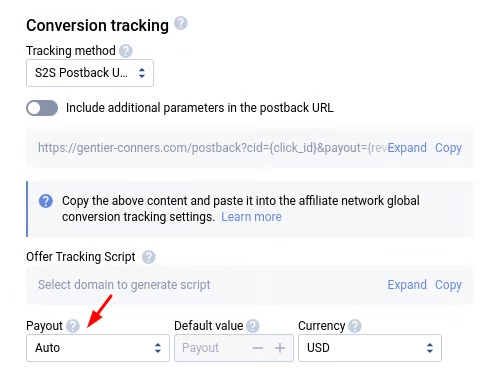
S2S conversion tracking validation needs more than one successful example.
A network test can validate delivery and macro substitution. Also verify your real click path, since manually inserting an ID can hide a broken landing-page handoff.
| Test case | Expected result | Evidence to retain |
|---|---|---|
| Fresh valid click | Correct campaign association | Matching click and conversion IDs |
| Identical callback replay | No additional sale or commission | Duplicate result and revenue total |
| Distinct second purchase | Additional valid transaction | New transaction identity |
| Empty or wrong click ID | No false campaign attribution | Rejection or unmatched-event record |
| Approval or reversal | Agreed state and value change | Before-and-after conversion record |
| Source forwarding | Correct destination accepts event | Outgoing request and response |
These are acceptance criteria. Configure and confirm each behaviour rather than expecting identical defaults across trackers.
Keep your initial test path minimal. After that passes, repeat checks across relevant devices, landing pages and offer routes.
Save screenshots of actual parameter mapping and conversion records. Redact customer details, credentials and complete live identifiers before publishing examples.
A cropped total is weak evidence. Capture enough context to connect the recorded click, event identity, payout and destination.
Fix Missing Conversions From Request Logs
Work from the earliest missing record. A blank tracker report does not tell you which stage failed.
Start with click capture, inspect network delivery, then check tracker acceptance. Only investigate source forwarding after the incoming conversion exists.
| Symptom | Likely cause to investigate | Next check |
|---|---|---|
| No network sub ID | Broken offer handoff | Actual outgoing affiliate URL |
| Braces appear in callback | Unresolved network macro | Supported token spelling |
| Unknown click ID | Wrong identifier or missing visit | Original tracker click record |
| Delivery succeeds, conversion absent | Application rejection or report filter | Response body and conversion logs |
| Revenue is inflated | Duplicate delivery or wrong amount field | Event identity and payout source |
| Tracker counts, source does not | Missing source ID or forwarding failure | Outgoing integration diagnostics |
| Revenue differs by date | Different reporting basis or delayed approval | Time zone, event date and status |
An HTTP success response can confirm receipt without proving every downstream operation succeeded. Google’s ingestion route, for example, exposes separate processing diagnostics.
Before escalating, assemble a small diagnostic packet.
Check paused callbacks and offer scope as well. A global configuration may target traffic without the identifiers required by its destination.
Do not repair unexplained discrepancies by uploading arbitrary sales. Correct the failed mapping, then replay only verified missing events through a supported recovery process.
Protect Your Postback Endpoint and Consent Signals
Use HTTPS, restrict access to callback configuration and keep credentials outside public landing-page code.
A click ID is an attribution reference, not proof a request came from an authorised partner.
Where supported, validate signatures or verification tokens. Keep any source IP restrictions aligned with the sender’s current requirements.
For a custom receiver, retain useful delivery logs without exposing secrets. Separate incoming validation from slow downstream tasks so retries remain controlled.
Server delivery does not erase privacy obligations. Consent requirements can still apply to advertising-related device storage, access and linked identifiers.
Send only necessary, permitted fields. Do not place raw emails or phone numbers into ordinary click URLs merely to improve matching.
Where an approved integration needs hashed customer data, follow its exact normalisation and hashing requirements. Hashing is a formatting requirement, not blanket permission to share data.
Preserve Delayed Sales and Conversion Timing
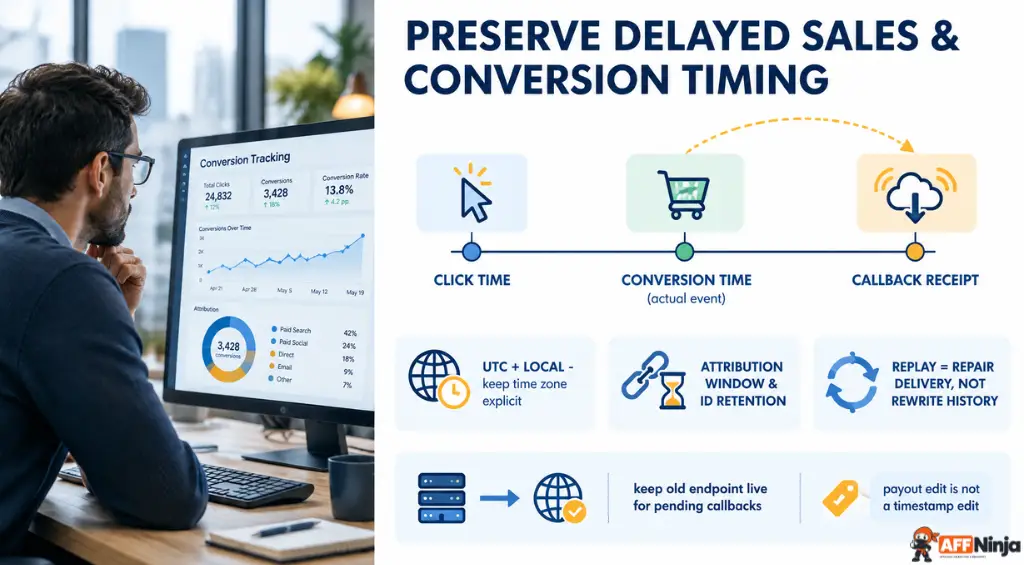
Keep three times separate when your systems expose them. Click time, actual conversion time and callback receipt time answer different questions.
A network can record a sale promptly while delivering its callback later. Use the real event timestamp where the receiving integration supports one.
Do not overwrite historical conversion times just to make an old sale appear eligible. A replay should repair delivery, not rewrite customer behaviour.
Check attribution windows and identifier retention with every partner. A technically valid request can arrive after the relevant click is no longer eligible or available.
Keep conversion timestamps with an explicit time zone. Comparing local timestamps against UTC without conversion can shift transactions across daily reporting boundaries.
Tracker updates have limits, too. RedTrack’s payout-edit duplicate mode does not change conversion time, so a revenue correction is not a timestamp correction.
Before replacing a tracking domain, confirm how delayed callbacks to the old endpoint will be handled. Preserve a supported route during migration rather than abandoning pending conversions.
Reconcile Approved Revenue Before Scaling Placements
We would judge campaign health against approved commission, not every incoming event.
Consider a hypothetical campaign with $240 ad spend and ten $32 commissions.
If two commissions are rejected, approved revenue becomes $256. That leaves $16 before tracker costs and other expenses.
Approved-revenue ROAS is about 1.07. Counting every provisional commission would show about 1.33, enough to suggest a very different buying decision.
Before comparing reports, align currency, time zone, conversion status and reporting basis. Google conversion imports, for example, can appear against the original ad interaction date.
Also allow for conversion delay. Recent clicks have had less time to produce sales than older clicks, so compare cohorts with similar observation periods.
Separate technical receipt delay from genuine buying delay. A late callback and a customer who purchases later demand different fixes.
Then inspect the approved commission by placement and creative. Our affiliate tracking software comparison helps assess reporting tools without reducing the decision to one headline metric.
Conclusion
Good S2S postback tracking for affiliates produces a traceable sale, not just a green delivery indicator.
Keep identifiers distinct, make event rules explicit and verify commission before acting on ROAS. Use RedTrack, Voluum or Binom according to your actual integration needs.
AFFNinja’s final call is simple. Prove one complete click-to-sale journey, test replays and delayed updates, then scale using revenue you can reconcile.

Dominate Affiliate Marketing like the Top 1% Earners
Join 69,572+ winning affiliates in our exclusive newsletter packed with
proven strategies, tools, and secrets to skyrocket your success.
Affiliate Disclosure: This post may contain some affiliate links, which means we may receive a commission if you purchase something that we recommend at no additional cost for you (none whatsoever!)